
Combined Reels + Shorts safe area
If you post the same 1080 × 1920 video to Instagram Reels and YouTube Shorts, keep important text, faces and logos out of the top 190 px, the right 170 px and the bottom 220 px. That combined safe area clears both apps' interfaces with a short caption.
| Edge | Combined | Instagram Reels | YouTube Shorts | Set by |
|---|---|---|---|---|
| Top | 190 px | 190 px | 180 px | Reels |
| Right | 170 px | 160 px | 170 px | Shorts |
| Bottom | 220 px | 220 px | 190 px | Reels |
These values are derived from Softphoria's current measured Instagram Reels and YouTube Shorts interface zones (caption collapsed). They are not a separate measurement and not an official specification.
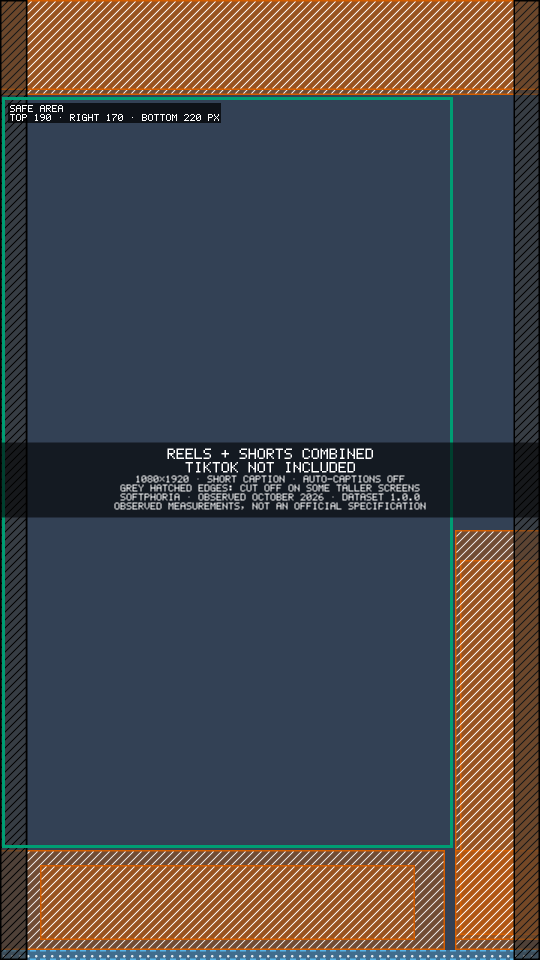
About these numbers: 1080 × 1920 reference canvas · Reels measured on an iPhone 14 Plus and a Nokia 6.1 Plus, Shorts on an iPhone 14 Plus and a Samsung Galaxy A20s · last verified October 2026 · observed measurements · interfaces can vary by device, app version, account configuration and interface experiments.
Check one video against Reels and Shorts at once with the free Social Video Safe Zone Checker.
Which platform sets each edge
Each combined edge is the larger of the two apps. Instagram's top bar is the deeper one, YouTube's button column is the wider one, and Instagram's caption row reaches higher at the bottom. For per-platform detail, see the Instagram Reels safe zone and the YouTube Shorts safe zone.
The two caption bands
Auto-captions appear in different places on the two apps, so a video posted to both has two bands to avoid:
- Instagram Reels: y 1590 to y 1700, just above the caption area (observed on the iPhone 14 Plus).
- YouTube Shorts: y 260 to y 380, near the top.
Burned-in subtitles placed in either band can overlap the app's own captions for viewers who switch them on.
When the Reels caption is opened
The worst case we observed is an opened Instagram caption: on the Nokia 6.1 Plus it covered up to 750 px from the bottom. It only appears when a viewer taps to read a long caption, so it is not part of the combined margins above.
Other resolutions
The margins scale with the frame. For a 720 × 1280 video, divide by 1.5: about 127 px top, 113 px right and 147 px bottom. For a 2160 × 3840 (4K) video, double them: 380 px top, 340 px right and 440 px bottom.
What about TikTok?
TikTok is not included in these combined values, because TikTok remains provisional and unmeasured in version 1 of our data. The checker shows TikTok as a clearly labelled estimate and never gives it a Pass.
How we measured
We made calibration videos at 1080 × 1920, played them in the official Instagram and YouTube apps and took screenshots on real phones. Each interface element's edges were measured on the frame and recorded to the nearest 10 px. Where the test phones differed, the larger covered area is used.
- Test phones: iPhone 14 Plus (iOS) and Nokia 6.1 Plus (Android, Instagram) and Samsung Galaxy A20s (Android, YouTube), with the app versions current at the time of measurement.
- Last verified: October 2026. We re-check quarterly, or sooner when a visible interface change is reported.
- Observed, not official: these are our measurements of the Instagram Reels and YouTube Shorts interface, not an official platform specification. They are practical guidance.
- Variation: interfaces can vary by device, app version, account configuration and interface experiments. Longer captions and taller screens can cover more.
- Measured and maintained by Softphoria. About Softphoria · Tell us if your app looks different
Download the combined overlay
Download the combined Reels + Shorts safe-zone overlay (PNG, 1080 × 1920, transparent). Put it on the top layer in CapCut, Premiere Pro, DaVinci Resolve or Canva and hide it before you export. It shows the short-caption layout with auto-captions off.
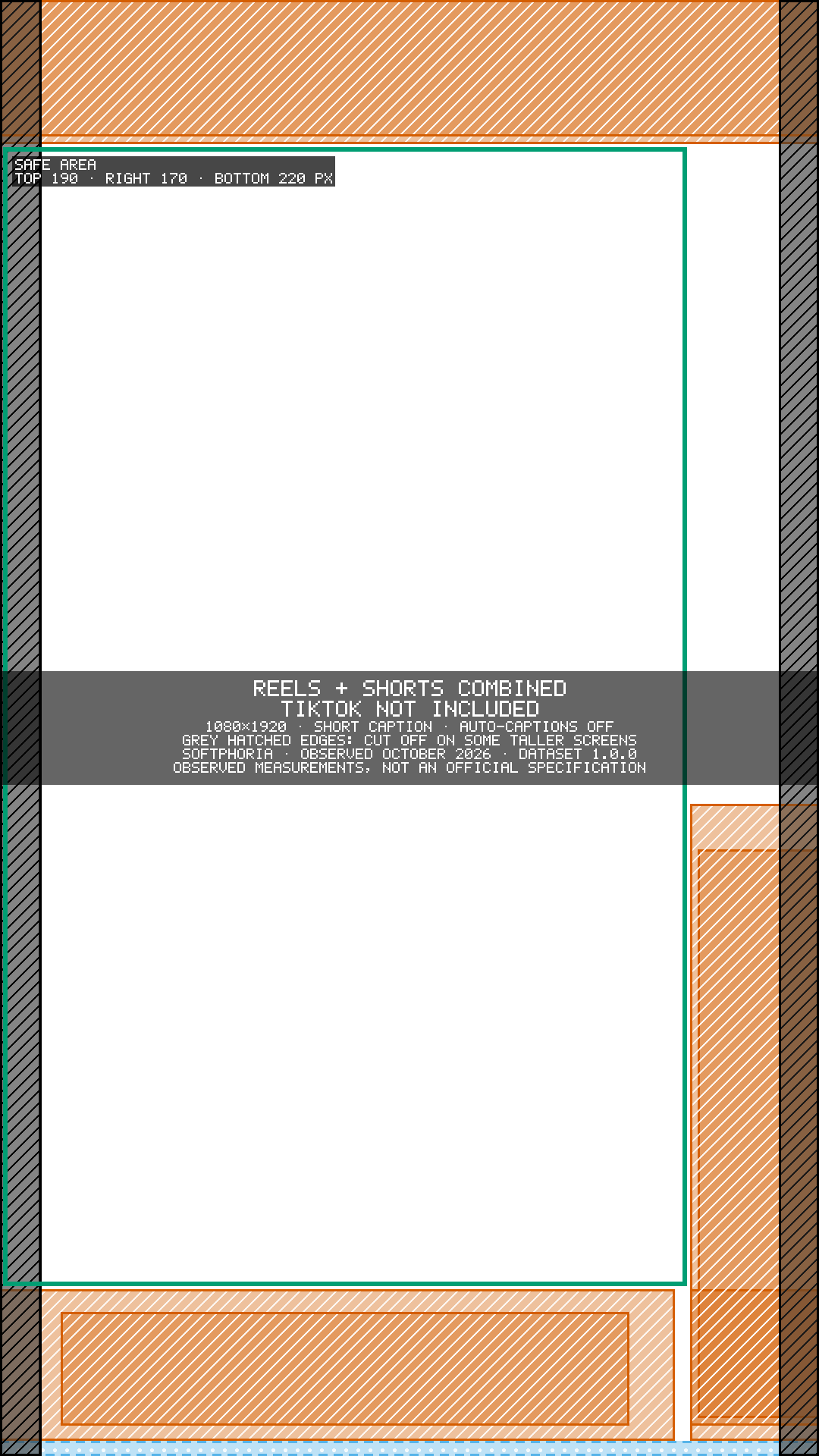
A template shows where the zones are; the checker checks your actual frames. Wondering why other guides quote bigger margins? Read why safe-zone numbers differ.